为VLLM运行的大模型API增加API KEY鉴权方法
前面在《[华为 Atlas 800I A2 部署 Qwen2.5-32B 全栈 AI 应用实践]》(*注:https://sysplus.top/?id=9)中分享了如何通过 vLLM-Ascend部署大模型。虽然不鉴权方便测试,但在生产环境或者多人协作时,API 鉴权(Authentication)是绝对不可或缺的一环。
今天,记录基于 FastAPI 搭建一个轻量级的 API Gateway(网关),为 vLLM 加上 Bearer Token 鉴权机制。这套方案不仅支持流式输出(Streaming),还能完美兼容 OpenAI SDK!
🛠️ 核心代码实现
首先,我们需要编写 main.py。这里的核心是利用 FastAPI 的依赖注入功能来校验 Header 中的 API Key。
import os
from fastapi import FastAPI, Header, HTTPException, Depends
from fastapi.responses import StreamingResponse
import httpx
import json

app = FastAPI()
VLLM_BASE_URL = os.getenv("VLLM_BASE_URL", "http://127.0.0.1:8000")
VALID_KEYS = [
    "7xK9mP2",
    "B3jF8wY1c",
    "eR5tU2iO9"
]

def verify_api_key(authorization: str = Header(None)):
    if not authorization or authorization.replace("Bearer ", "") not in VALID_KEYS:
        raise HTTPException(status_code=401, detail="Invalid API Key")
    return True

async def stream_generator(request_data: dict):
    try:
        async with httpx.AsyncClient(timeout=60.0) as client:
            async with client.stream("POST", f"{VLLM_BASE_URL}/v1/chat/completions", json=request_data) as response:
                # 检查状态码
                if response.status_code != 200:
                    error_msg = await response.aread()
                    yield f"data: {json.dumps({'error': f'Upstream Error: {response.status_code}', 'message': error_msg.decode()})}\n\n".encode("utf-8")
                    return

                # 正常转发流
                async for chunk in response.aiter_bytes():
                    yield chunk

    except httpx.ReadTimeout:
        yield f"data: {json.dumps({'error': 'Gateway Timeout', 'message': 'The upstream server took too long to respond.'})}\n\n".encode("utf-8")
    except Exception as e:
        # 捕获所有其他异常(如连接重置、断开等)
        yield f"data: {json.dumps({'error': 'Upstream Connection Failed', 'message': str(e)})}\n\n".encode("utf-8")

@app.post("/v1/chat/completions", dependencies=[Depends(verify_api_key)])
async def chat_completions(request: dict):
    if request.get("stream", False):
        return StreamingResponse(
            stream_generator(request),
            media_type="text/event-stream",
            headers={
                "Cache-Control": "no-cache",
                "Connection": "keep-alive",
                "X-Accel-Buffering": "no"
            }
        )
    else:
        async with httpx.AsyncClient() as client:
            response = await client.post(f"{VLLM_BASE_URL}/v1/chat/completions", json=request)
            return response.json()
🐳 Docker 容器化与网络配置
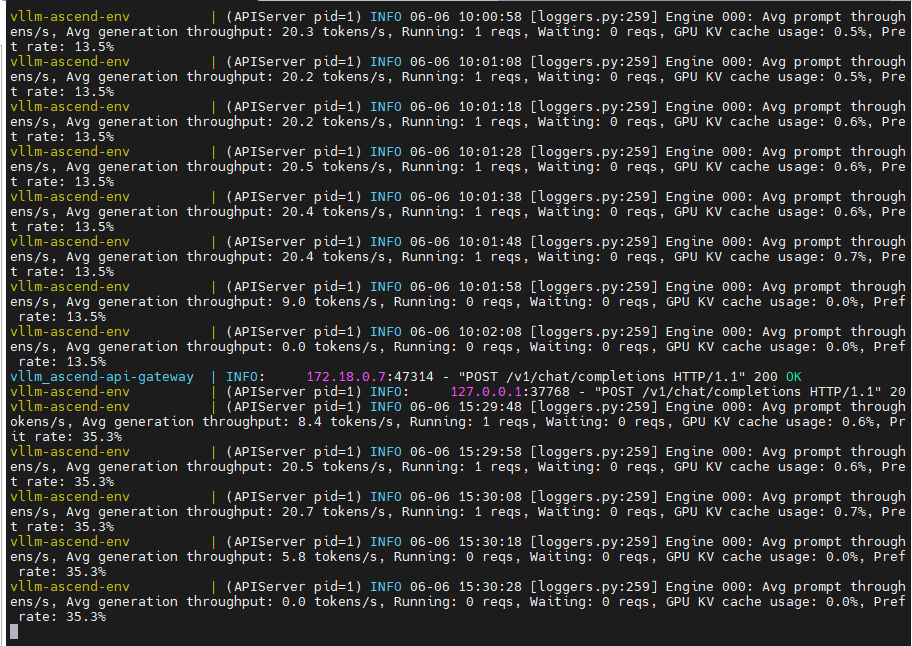
为了方便一键部署,我们配合 Docker Compose 使用,将python脚本跑在docker容器中。这里有一个非常容易踩坑的地方:因为网关需要访问宿主机上的 vLLM 服务,所以网络模式必须配置正确!总体的访问方向:客户端(dify/open webui等)<-->main.py脚本<-->大模型接口(8000端口),后续请求按照Open AI API的格式,请求头 Authorization:Bear XXXXXXXXXX 的格式携带API KEY。
1. 编写 Dockerfile
FROM python:3.10-slim
WORKDIR /app
COPY requirements.txt .
RUN pip install --no-cache-dir -r requirements.txt
COPY main.py .
CMD ["uvicorn", "main:app", "--host", "0.0.0.0", "--port", "8081"]
2. docker-compose.yml 关键配置
#这里增加到原vllm-ascend的配置文件
api-gateway: build: ./gateway
container_name: vllm_ascend-api-gateway
network_mode: host # 🔥 关键点:使用 host 模式,方便网关直接访问宿主机的 8000 端口
environment: - VLLM_BASE_URL=http://127.0.0.1:8000
ports: - "8081:8000" # 对外暴露 8081 端口
depends_on: - vllm-ascend
restart: unless-stopped
💡 避坑指南:如果你的 vLLM 跑在 Docker 里,而网关也在 Docker 里,建议使用自定义的 Docker Network(如
bridge),并将VLLM_BASE_URL改为容器的内部 DNS 名称(如http://vllm-ascend:8000)。我这里用network_mode: host是为了简化本地开发环境的网络连通性。
🧪 如何测试你的鉴权网关?
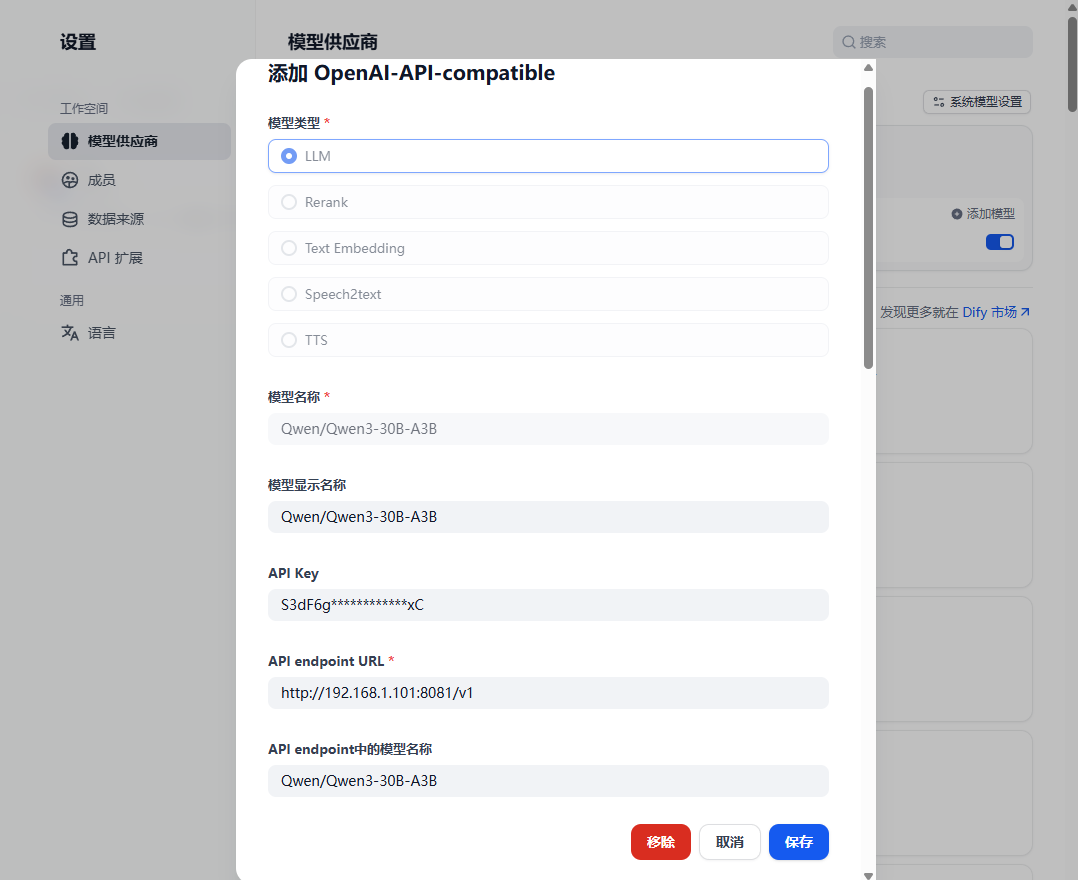
启动服务后,我们可以简易测试(也可以直接在dify中设置测试):
curl -N -X POST http://localhost:8081/v1/chat/completions \ -H "Authorization: Bearer 7xK9mP2qL5nR8vs4" \ -H "Content-Type: application/json" \ -d '{"model": "Qwen3-30B-A3B", "messages": [{"role": "user", "content": "你好"}], "stream": true}'如果你传入错误的 Key,FastAPI 会毫不留情地返回 401 Unauthorized,这就说明我们的网关已经成功拦截了非法请求!
📝 总结与后续优化方向
通过这几行简单的代码,我们就把“裸奔”的 vLLM 保护起来了。这种架构的好处在于解耦——无论底层的 vLLM 怎么升级,只要接口规范不变,我们的网关层完全不需要动。